Get ready to navigate the year ahead with the 2026 Astro Calendar! Downloading is a breeze with our quick guide. Whether you've purchased the Bundle or just the Astro Calendar separately, we've got you covered. Check out our guide below:
1. Sign in to your account at https://chriscorsini.com/account/login
2. Once logged in, navigate to the "My Content" section.
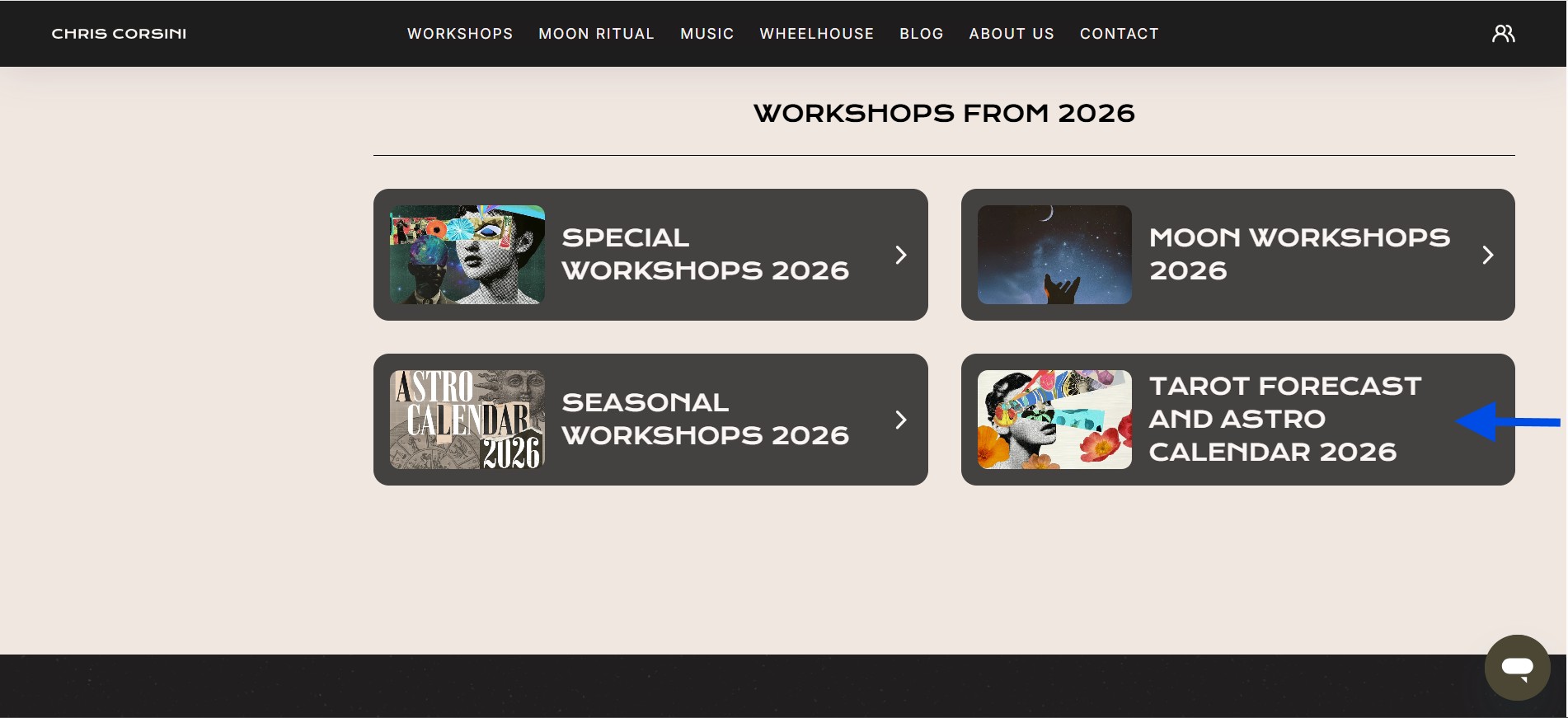
3. From there, go to Workshops from 2026, then click on Tarot Forecast and Astro Calendar 2026 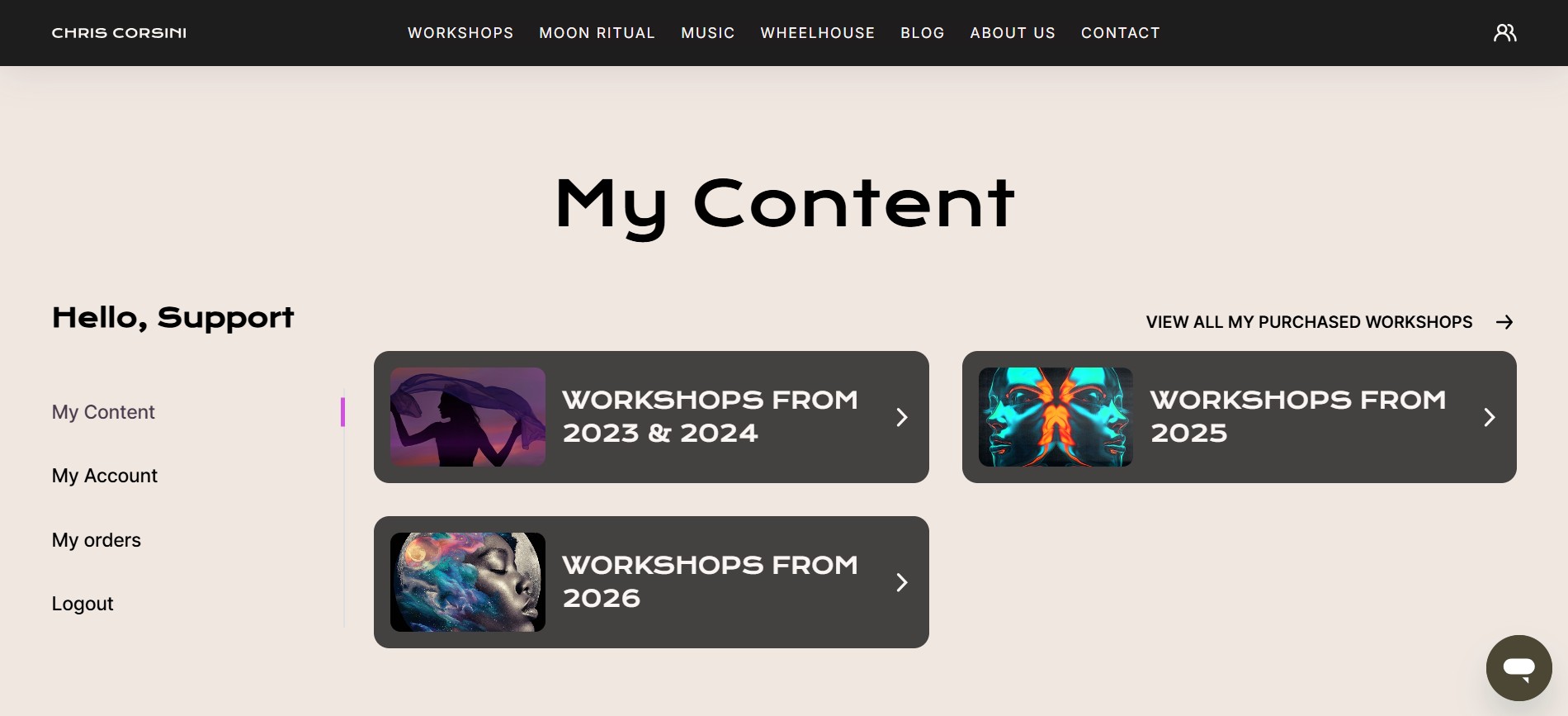
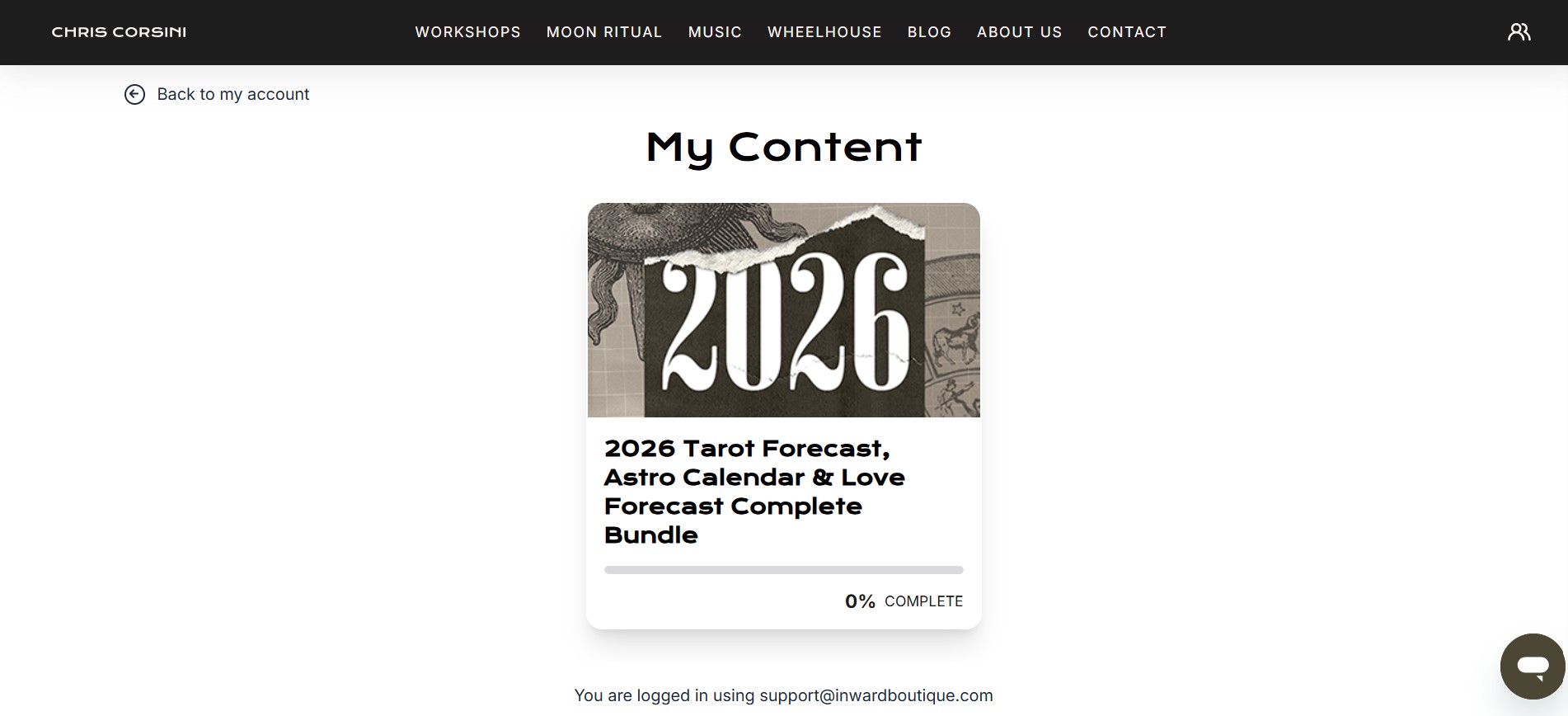
4. On the bottom of the left sidebar, search for the Astro Calendar 2026: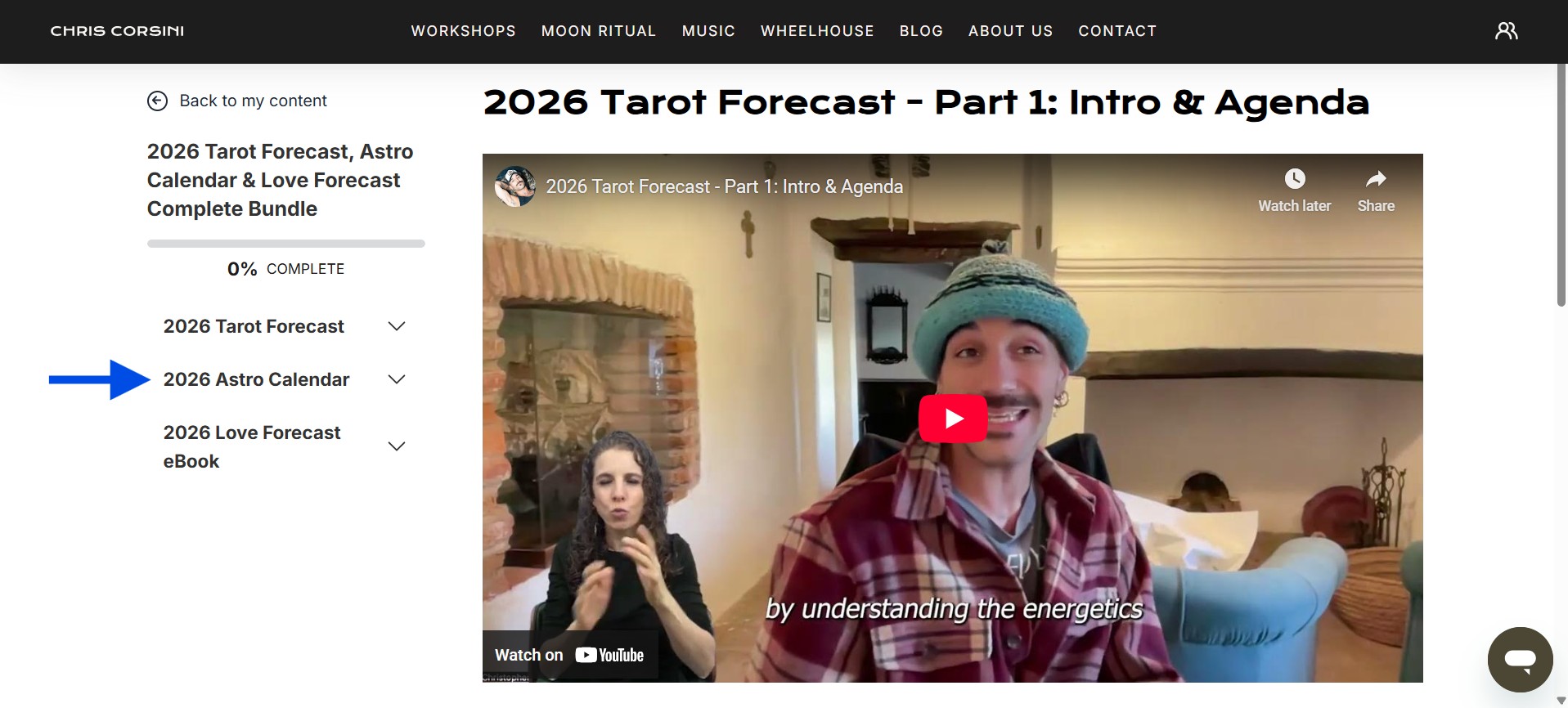
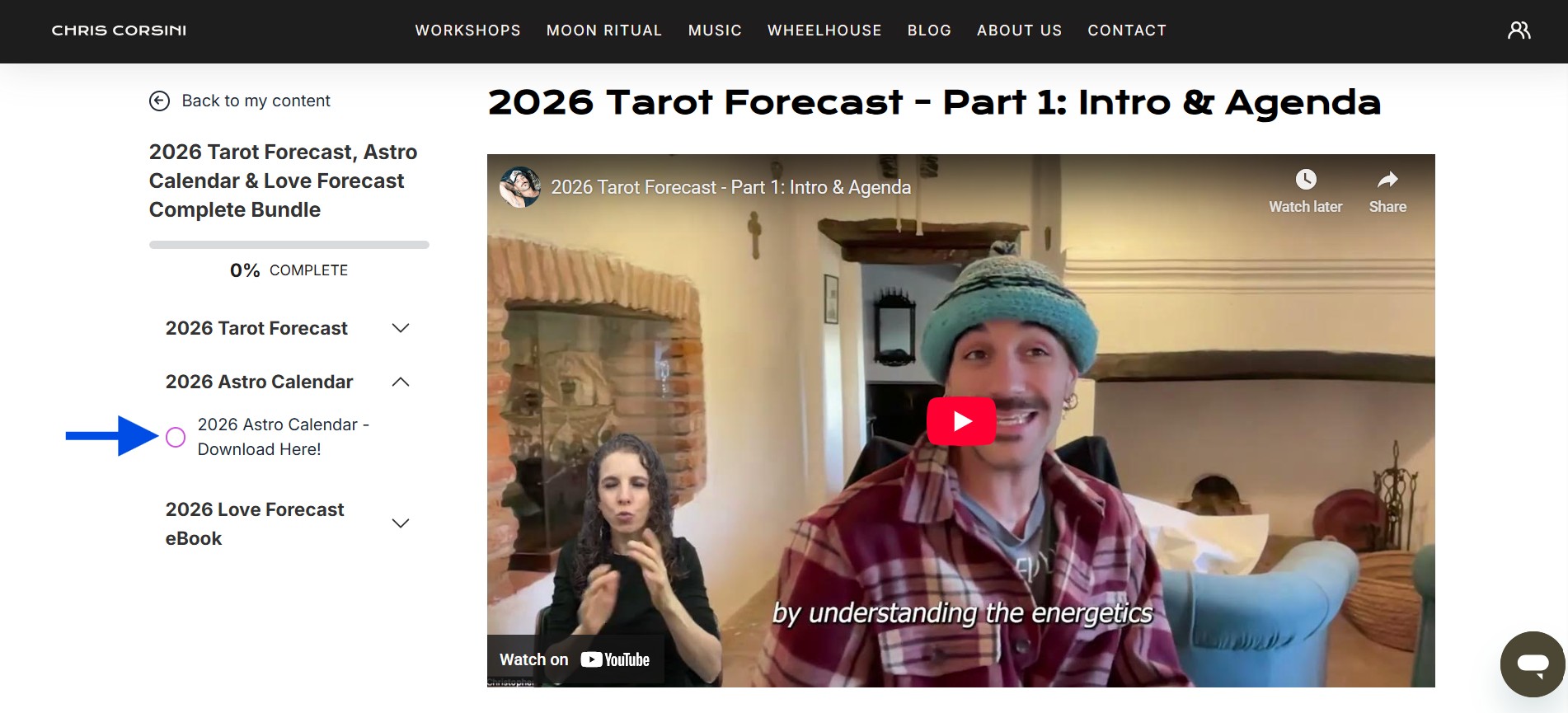
5. Next to the calendar, you'll see a "Download" option. Click on it to export your calendar as a PDF to your device.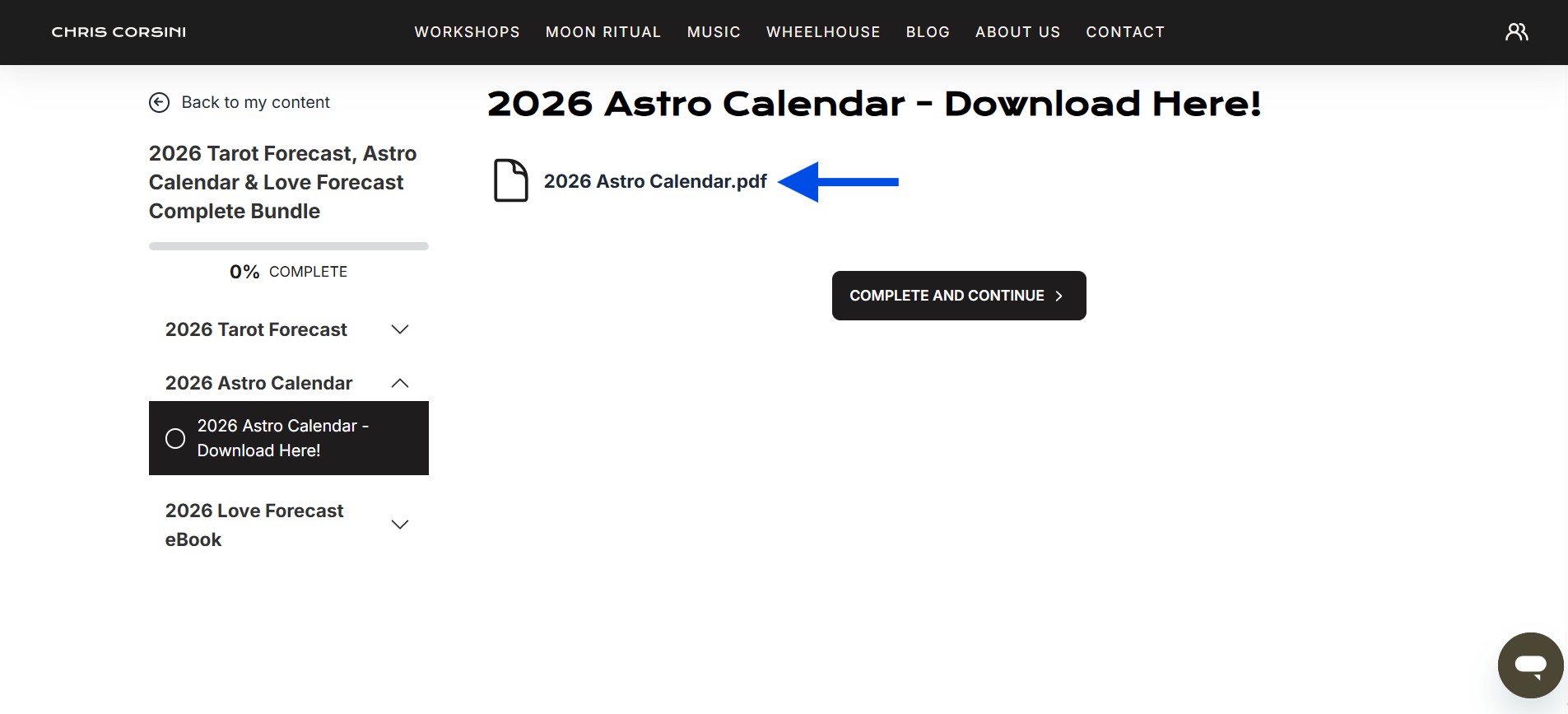
6. Voilà! Your 2026 Astro Calendar is now ready for download! Print it, dive in & enjoy!
We hope this guide has been resourceful in accessing your purchases. Should you encounter any roadblocks or have questions that need answers, don't hesitate to reach out to our Customer Support Team! We're here to ensure your journey with your workshops and products is nothing short of spectacular.
Find the 2026 Tarot Forecast & Calendar Bundle HERE!
Find the 2026 Tarot Forecast HERE!
Find the 2026 Astro Calendar HERE!
.
Was this article helpful?
That’s Great!
Thank you for your feedback
Sorry! We couldn't be helpful
Thank you for your feedback
Feedback sent
We appreciate your effort and will try to fix the article