When you purchase a Live Event (such as a Seasonal Workshop or Special Workshop), all of the content will be stored in your Content Library. Follow the steps below to access your workshop, find the livestream link, and download your workbook.
Step 1: Sign in to Your Account
- Go to https://chriscorsini.com/account/login
- Enter your login details and sign in.
- You’ll be directed to your My Content section.
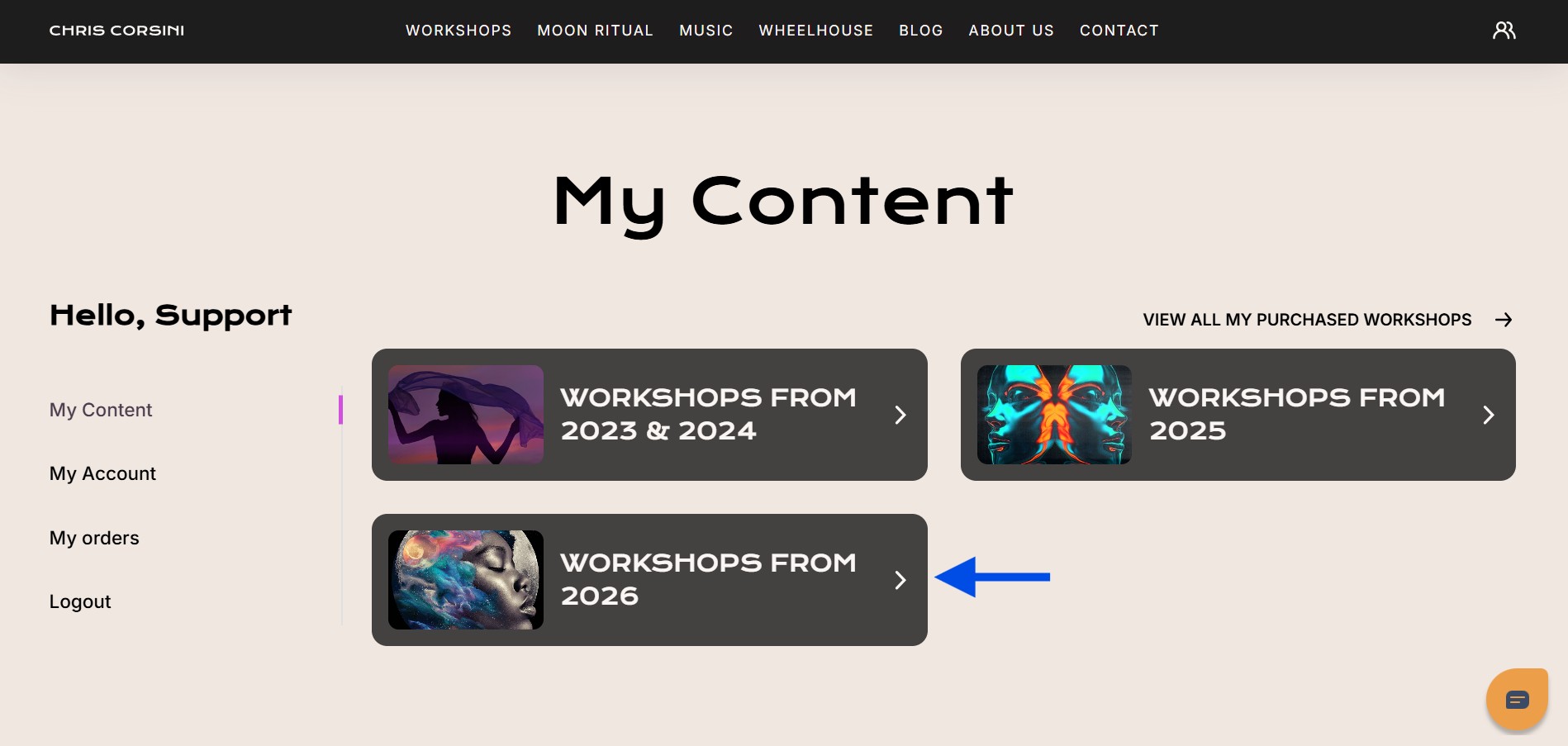
Step 2: Find Your Workshop
From My Content, select Workshops 2026.
Choose either Seasonal Workshops 2026 or Special Workshops 2026, depending on what you purchased.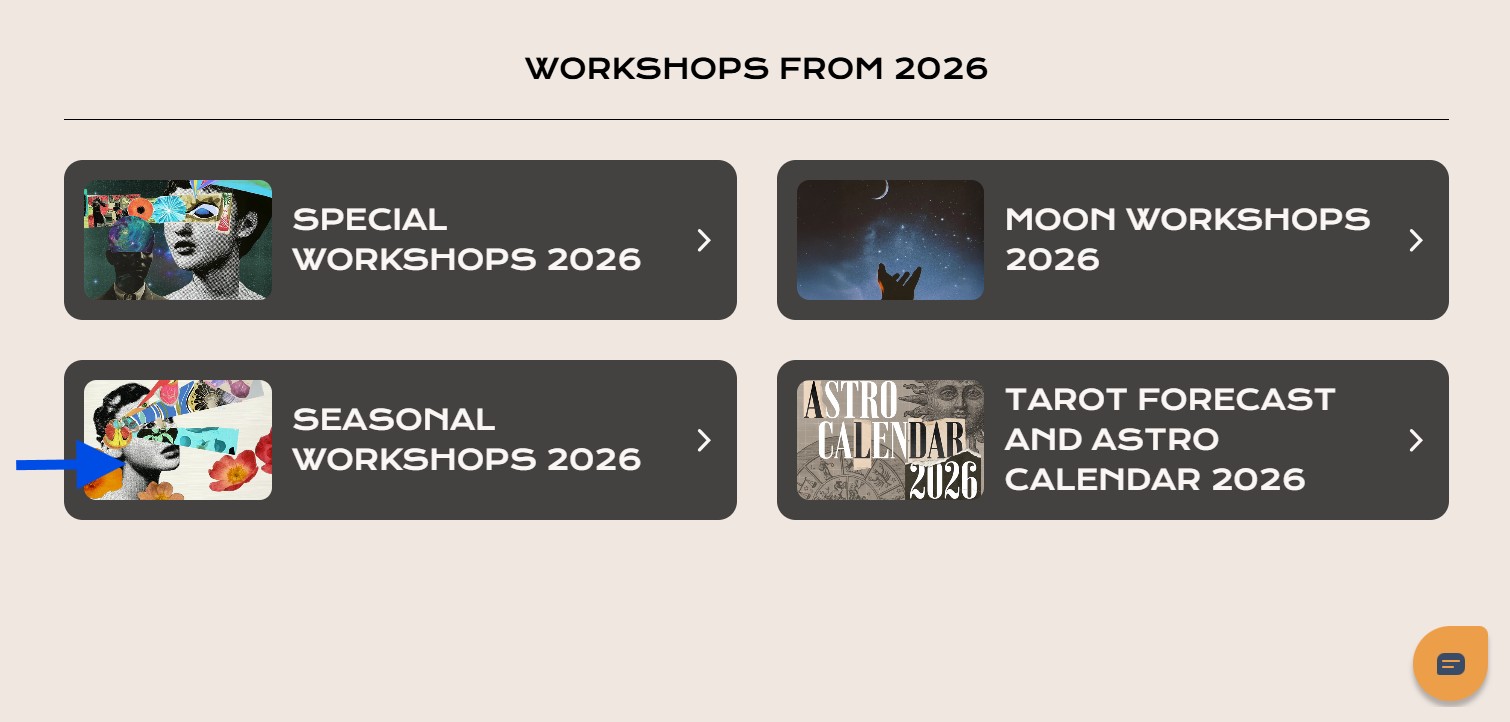
Example: If you purchased the Pisces Season, Saturn and Neptune Conjunct in Aries (a Seasonal Workshop):
- Click Seasonal Workshops 2026
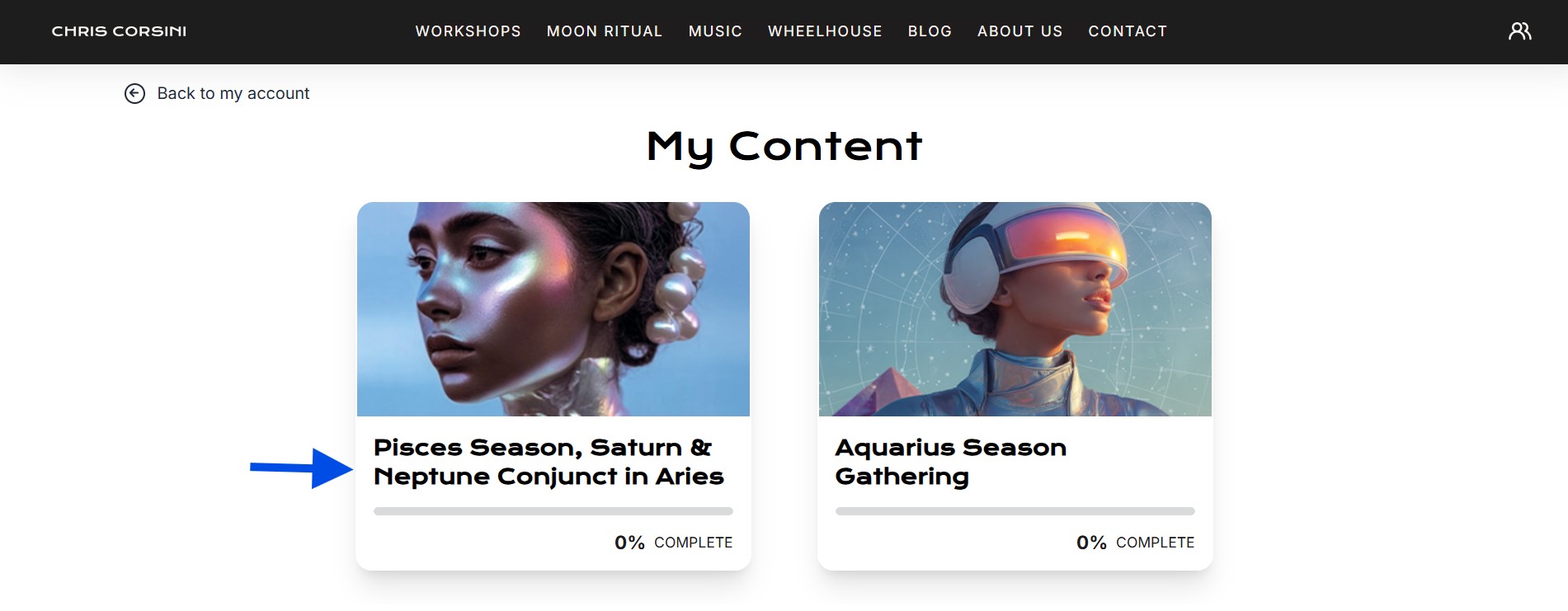
- Select Pisces Season, Saturn and Neptune Conjunct in Aries
Step 3: Access the Livestream Link and Workbook
Inside the workshop page, you’ll find everything you need for the live event:
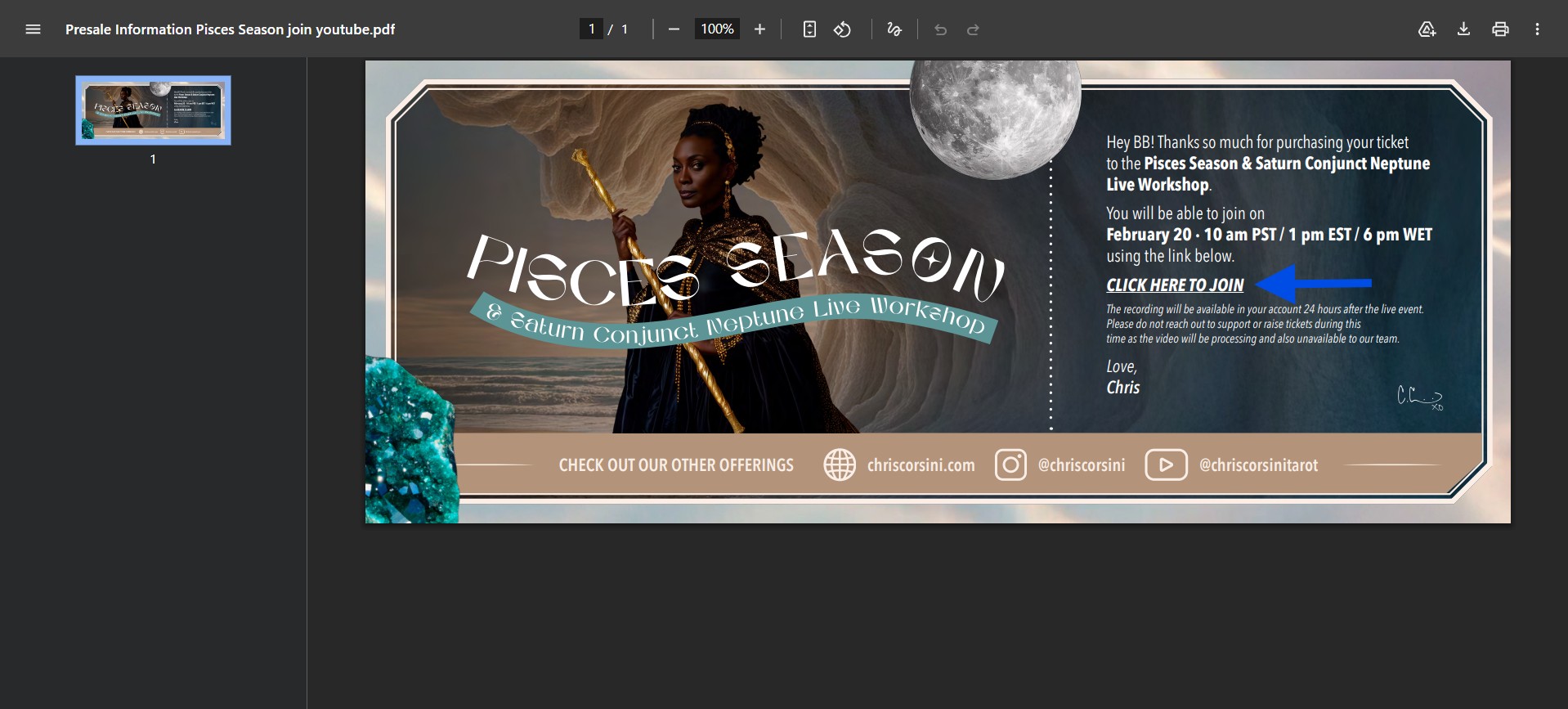
Presale Information → includes the livestream link to join the live workshop.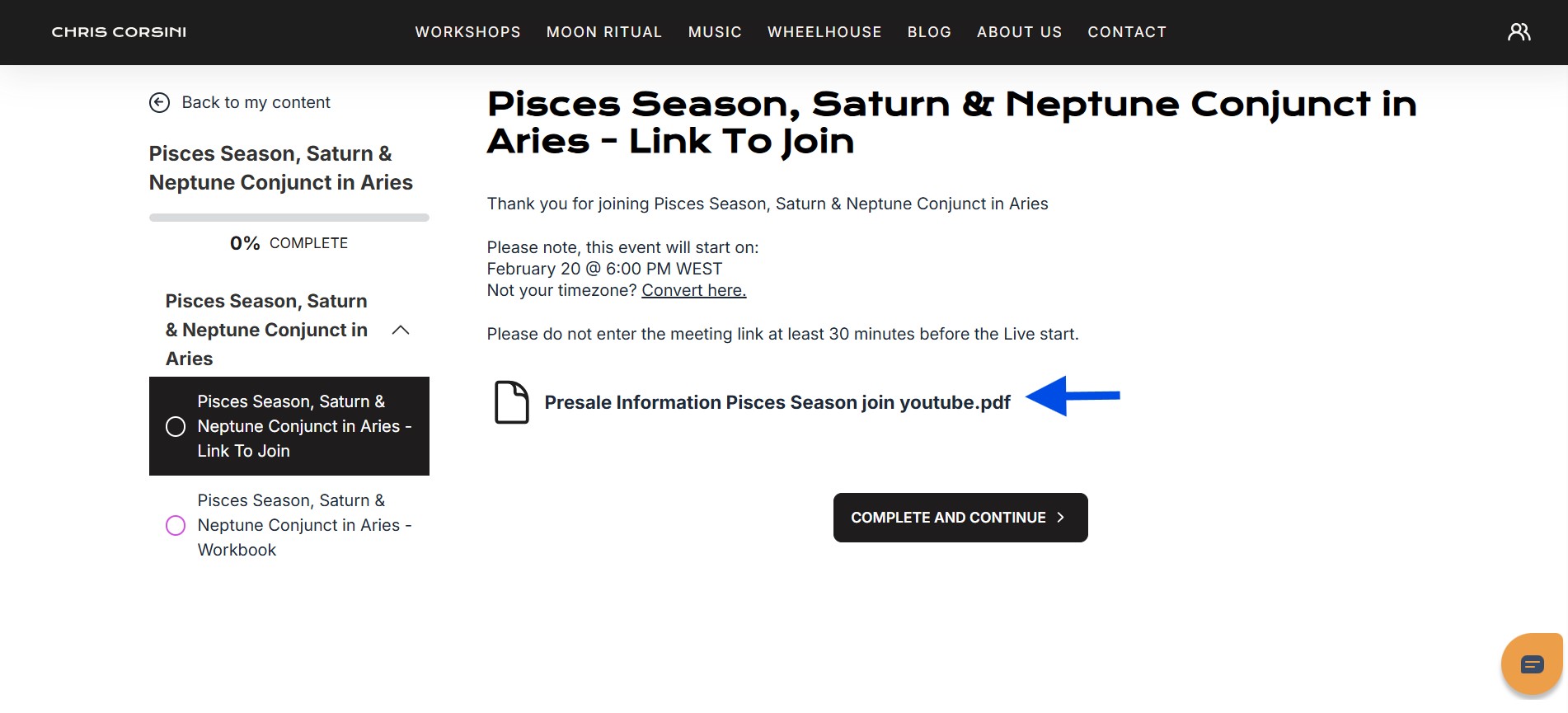
Workbook → click on Pisces Season, Saturn and Neptune Conjunct in Aries Workbook to open and download your digital workbook.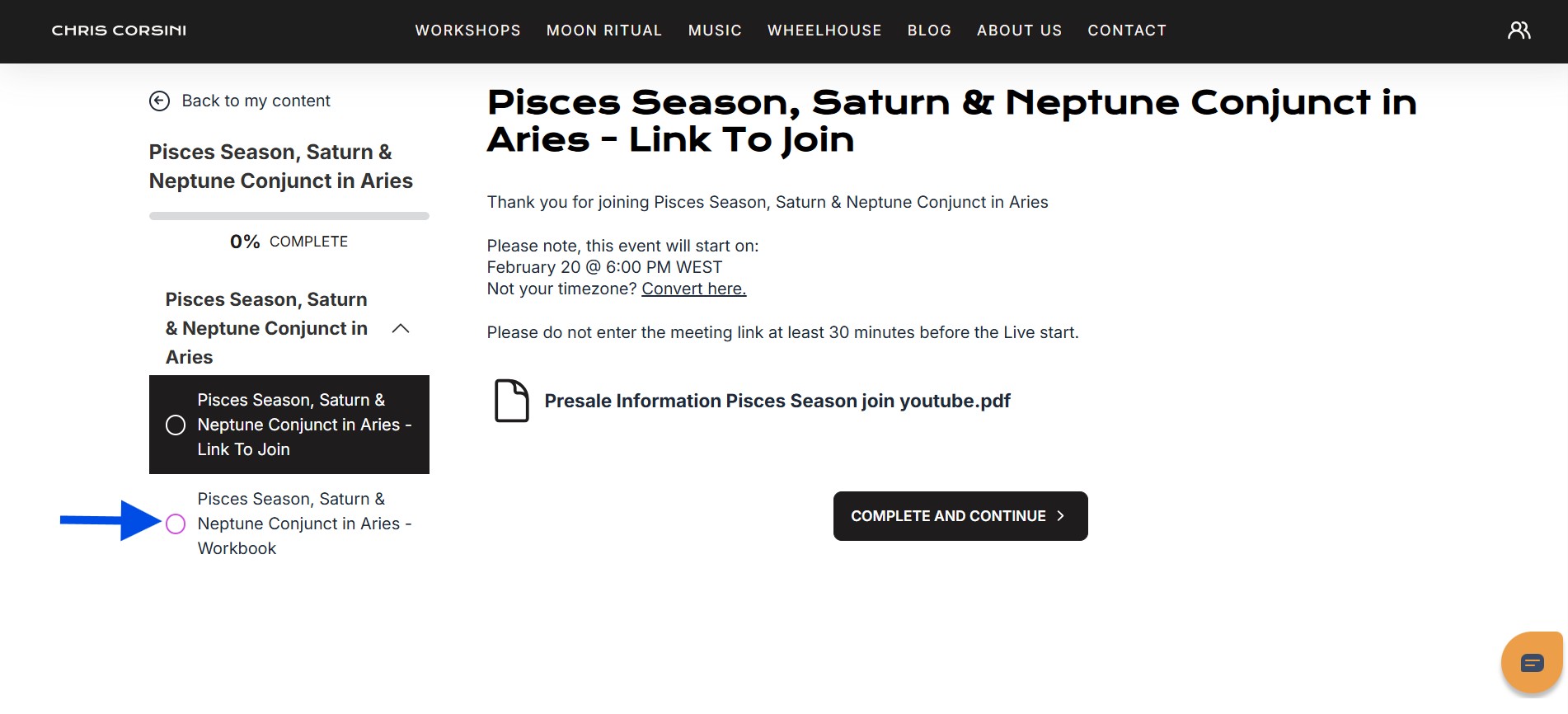
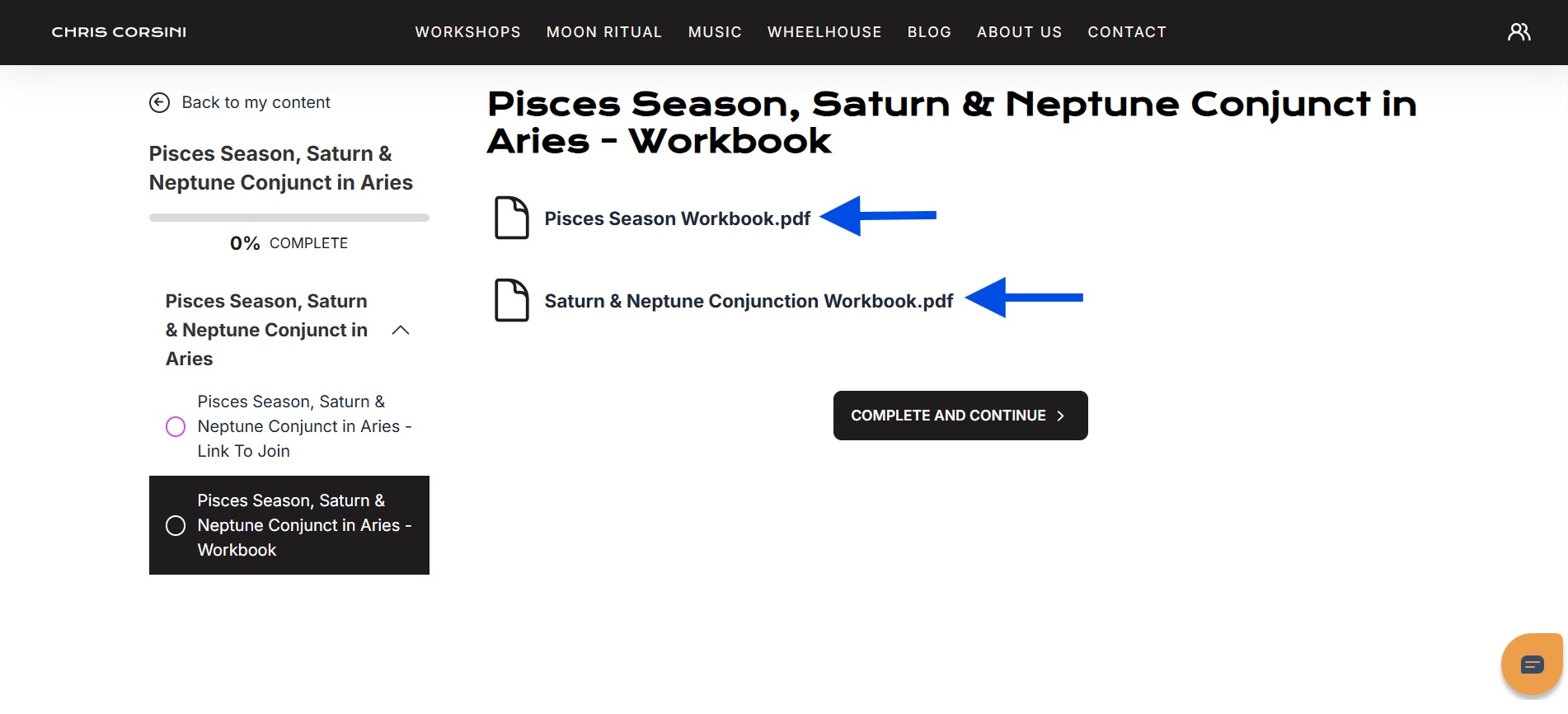
**In some cases, an additional workbook may be included if a key transit aligns with a Seasonal or Special workshop. When this applies, it will be noted in the event title and description. Most events include one workbook. If more than one is included, this will be reflected in the event details.
Watch the video on How To Join A Live Workshop:  Reminder Email
You will also receive a reminder email with the Livestream Link and event details at least an hour before the workshop begins. Be sure to check your inbox (and spam folder, just in case).
Recording
If you purchase the workshop before the event, the recording will be added to your content library at least 24 hours after the livestream. This applies to all our LIVE events, so you'll have access to the replay once it's uploaded.
READ: How Do I Watch The Replay For A Live Workshop?
Need More Help?
If you’re still having trouble accessing the live event, please contact our Support Team. We’re happy to help you join your workshop smoothly.
Was this article helpful?
That’s Great!
Thank you for your feedback
Sorry! We couldn't be helpful
Thank you for your feedback
Feedback sent
We appreciate your effort and will try to fix the article