Welcome! We’re so excited to have you join our community. Creating an account is quick and easy. Just follow these simple steps!
How to Become a Registered Member
- Navigate to our website by visiting https://chriscorsini.com/
- Find the Person Icon at the top right corner of the homepage and select it.
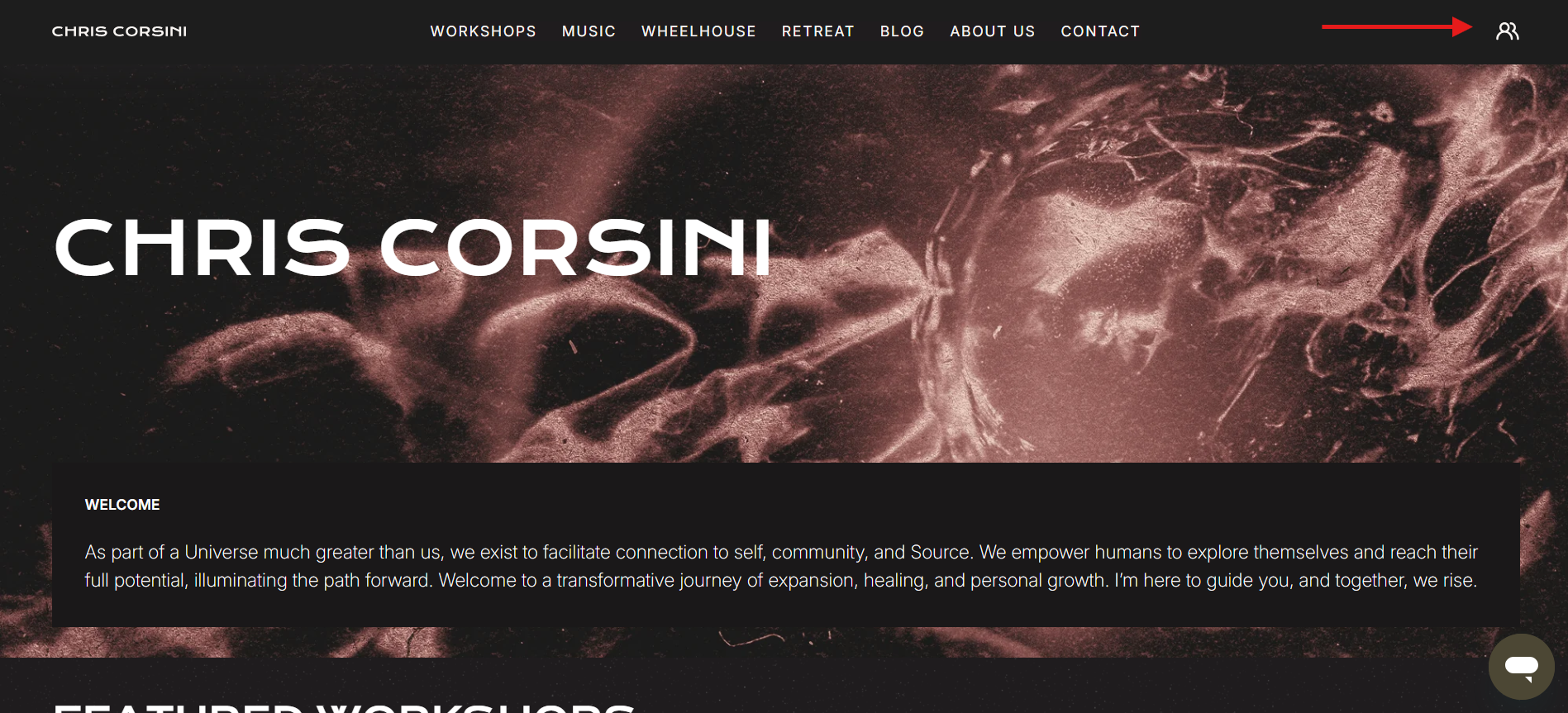
- From here will take you to the Welcome page.
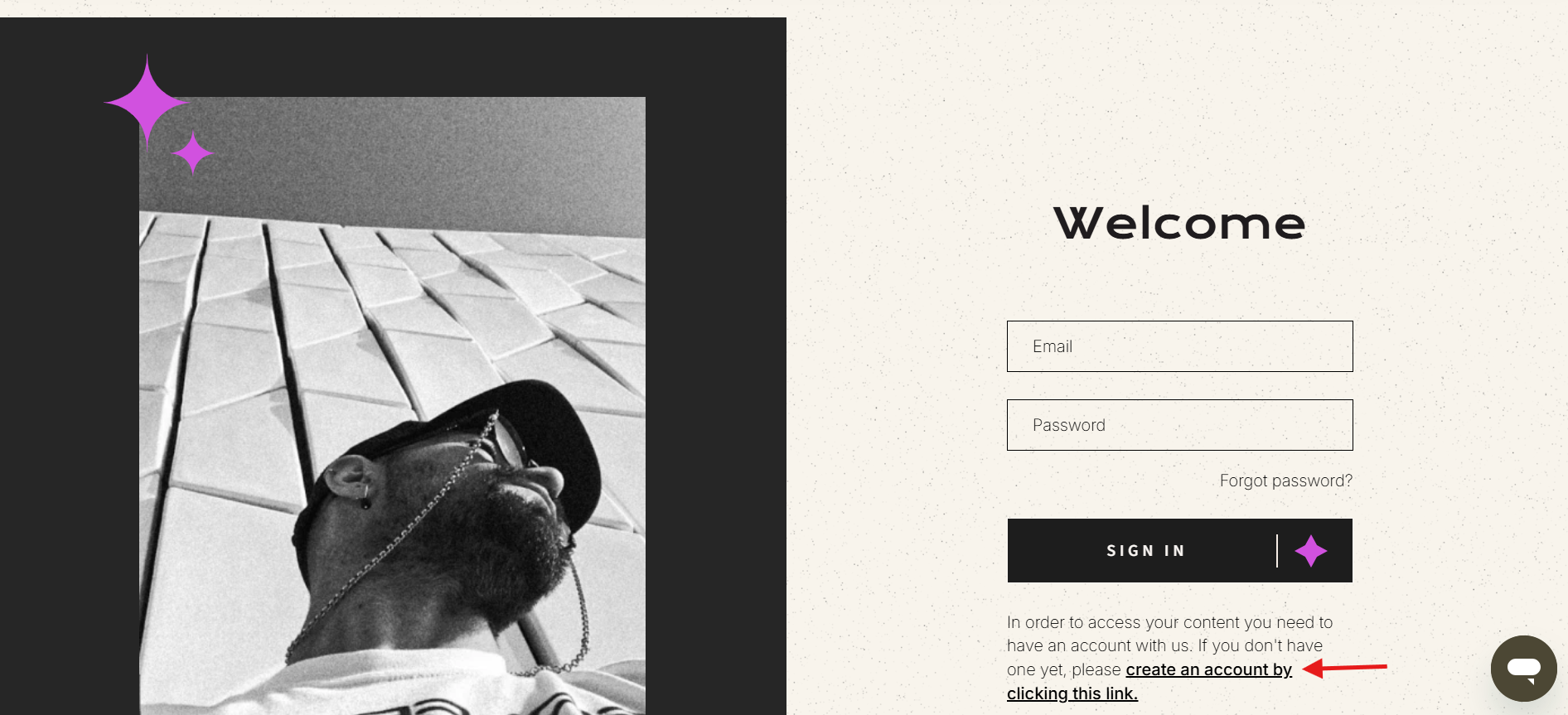
- Click Create Account and enter the required details:
✦ Your first name
✦ Your last name
✦ A valid email address
✦ A secure password (5 or more characters)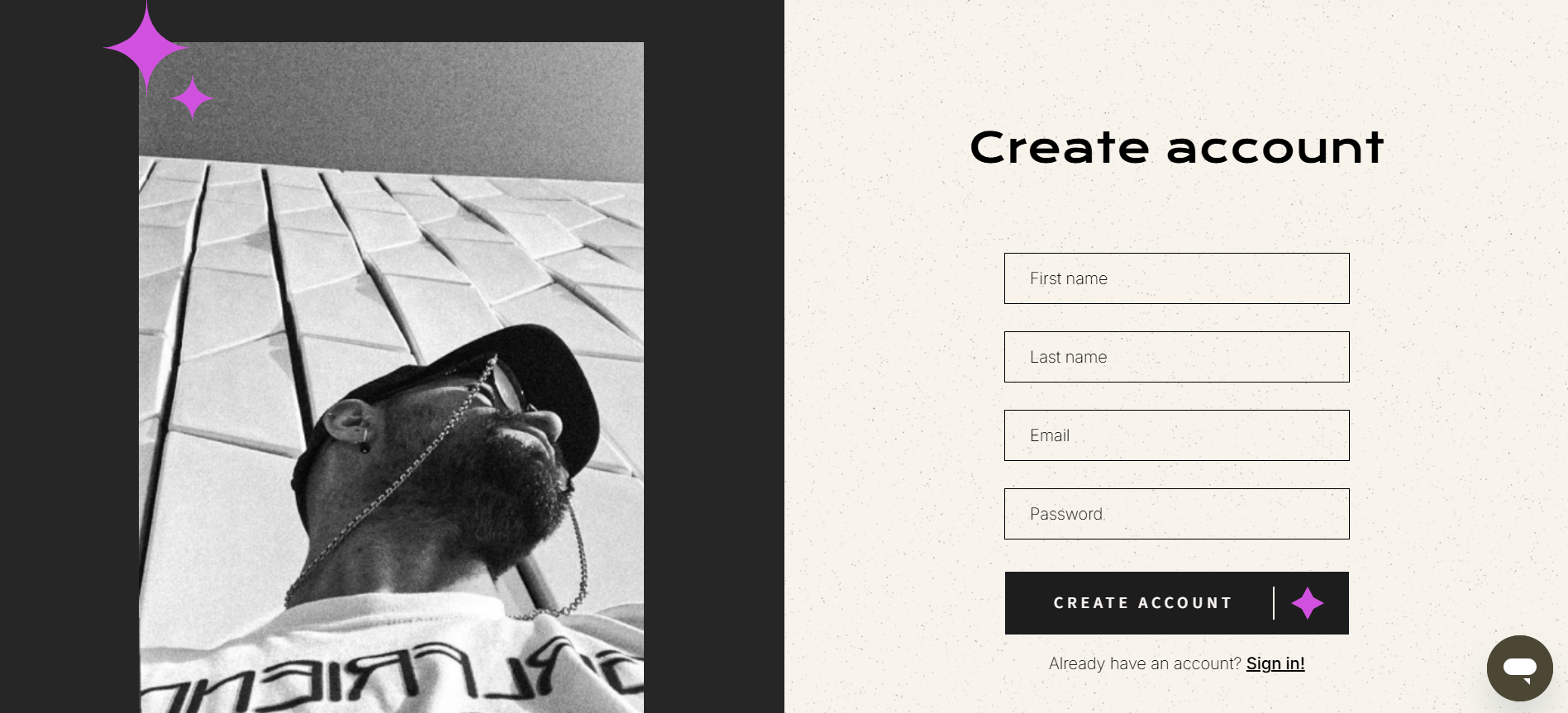
- Once your details are entered, hit the Create Account button.
- Verify Your Email
To keep your account secure, we’ll send a confirmation link to the email you provided.
- Check your inbox for an email from us, which will be from support@inwardboutique.com
- If you don’t see it in your inbox, be sure to check your spam and junk folders too, in case it is routed there.
- Click the verification link to activate your account.
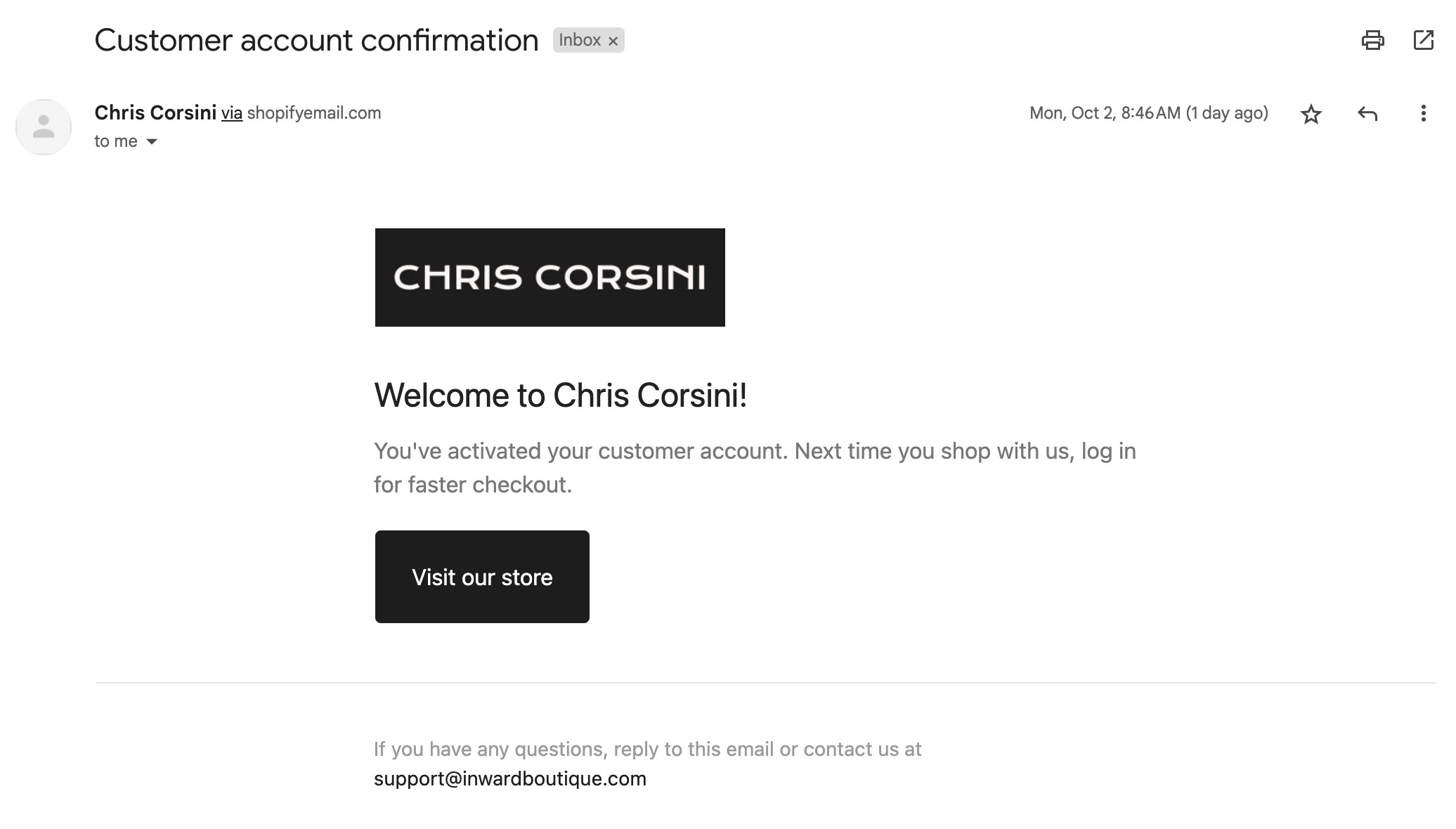
That’s It! You’re now officially registered and ready to explore your workshops in your Content Library. If you have any questions or need support, our Customer Support Team is always happy to help!
Was this article helpful?
That’s Great!
Thank you for your feedback
Sorry! We couldn't be helpful
Thank you for your feedback
Feedback sent
We appreciate your effort and will try to fix the article